

You don’t have an Instagram account — or you do, but you’d rather keep it far away from whatever you’re looking into. Either way, the goal is the same: view Instagram followers without logging in, without leaving a trace, and without the account owner ever knowing you were there. It sounds like it should be simple, but Instagram makes it anything but. From profile restrictions to login walls, the platform is designed to keep anonymous browsing difficult. The good news is that tools like the Instagram following viewer have changed what’s actually possible — and this guide covers exactly how.
Why Instagram Makes Anonymous Browsing So Difficult
Instagram didn’t always require a login to browse profiles. For years, public content was freely accessible to anyone with a browser. That changed deliberately — Instagram now walls off almost everything behind a login requirement, even for public accounts. Here’s what you’re up against without an account:
- Public profiles — used to be fully browsable without login, now Instagram prompts a signup wall after a few seconds
- Private profiles — completely inaccessible without an account and an approved follow request
- Follower and following lists — hidden behind the login wall even for public accounts when browsed from outside the app
- Stories — require a logged-in account to view, and watching them logs your username automatically
Instagram’s reasoning is straightforward — logged-in users generate data, engagement, and ad revenue. Anonymous browsing does none of that. So the platform actively discourages it at every turn.
What Happens When You Try to Browse Without Logging In
Most people discover the login wall the hard way. You find a profile you want to check, open it in a browser, and within seconds Instagram is pushing a signup prompt. Even if you dismiss it, access is heavily restricted:
- Profile photos and usernames are visible, but posts are blurred or hidden
- Follower counts appear but the actual lists are completely inaccessible
- Stories don’t load at all
- Private profiles show nothing beyond a locked icon and a follow button
This is by design. Instagram wants your login — and without it, the platform gives you just enough to be frustrating without being useful.
Method 1: Use the Desktop Browser Trick
Before reaching for third-party tools, there’s a basic workaround worth trying for public profiles. Opening Instagram in a desktop browser while not logged in occasionally surfaces more content than the mobile app allows — particularly on older cached pages.
- Open the profile URL directly in a desktop browser
- Dismiss the signup prompt if it appears
- Browse quickly before Instagram detects the session and restricts access
This works inconsistently and gives you limited visibility at best. Follower lists remain inaccessible, stories don’t load, and private profiles show nothing. It’s a starting point, not a solution.
Method 2: Google Cache and Web Archives
Public profiles that have been indexed by search engines sometimes leave traces you can access without logging in:
- Search the Instagram username on Google and look for cached profile pages
- Paste the profile URL into the Wayback Machine (archive.org) to find historical snapshots
- Check if any posts or stories from the account were shared or embedded on other websites
Cached content is almost always outdated and rarely includes follower list data. For recently active accounts or private profiles, this method returns very little. It’s useful for verifying that an account exists or finding old content, not for current follower data.
Method 3: Check Through a Logged-In Contact
If you know someone who follows the account you’re researching, they can browse it on your behalf:
- Ask a trusted contact who follows the account to check the follower list
- Have them screenshot or share specific information you’re looking for
- Cross-reference what they find with any public information you already have
This works only when a willing contact exists — and it immediately involves another person in what you’re trying to do discreetly. For any situation where privacy is the priority, relying on a third party defeats the purpose entirely.
Method 4: How to View Instagram Profiles Anonymously With a Purpose-Built Tool
For genuine anonymous access to follower data — without a login, without a follow request, and without involving your own Instagram account — a purpose-built tool is the most reliable path. This is how to view Instagram profiles anonymously in a way that actually works, not just in theory.
A proper Instagram follower viewer retrieves complete follower and following data independently from Instagram’s standard interface. The target account receives no notification, your identity never appears anywhere on the platform, and no Instagram account is required at any stage.
What to look for in a reliable Instagram following viewer:
- No login required — operates entirely outside Instagram’s ecosystem
- Private account support — retrieves data without sending a follow request
- Full follower list access — complete, current data rather than partial snapshots
- Following activity tracking — shows recently added and removed accounts in real time
- Zero footprint — the account owner sees and receives nothing
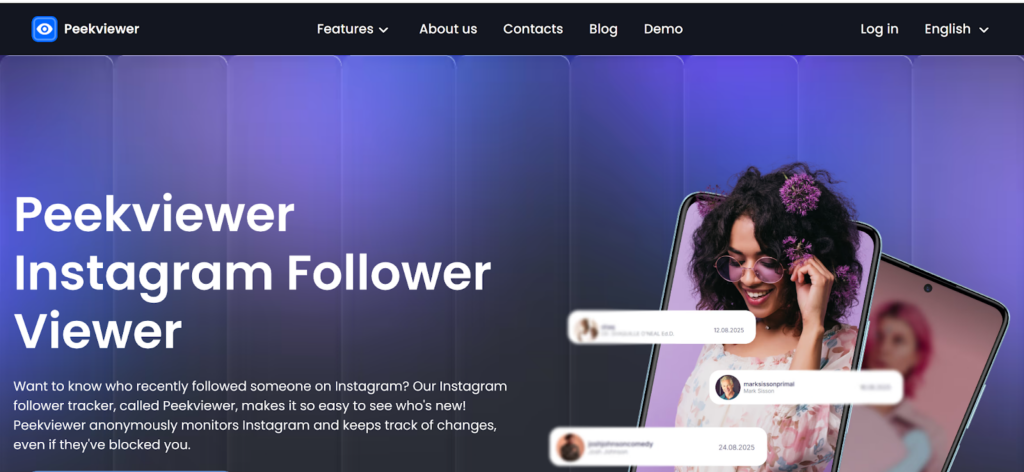
As an Instagram follower viewer, Peekviewer pulls everything into a clean private dashboard with no Instagram login required at any point. Enter the username, select the account type, and the available data loads directly. A demo mode is available on the website so you can see exactly what the interface looks like before committing.
The Difference Between Public and Private Account Access
Understanding what’s possible for each account type saves time:
Public accounts:
- Follower and following lists are technically visible on Instagram but require login to browse fully
- A purpose-built Instagram following viewer retrieves this data without any login requirement
- Content including posts, stories, and engagement data is all accessible anonymously
Private accounts:
- Nothing is visible through Instagram’s standard interface without an approved follow request
- A tool like Peekviewer accesses private profile data without sending any request to the account owner
- Follower lists, following activity, stories, and posts all become accessible inside the private dashboard
The distinction matters when choosing how to approach a specific account — but either way, view private Instagram content and public content both become accessible through the same tool without any account involvement.
Verdict
Instagram’s login wall exists for a reason — and working around it through browser tricks or cached pages only gets you so far. For real, anonymous access to follower and following data, those workarounds fall apart quickly, especially when private accounts are involved. For creators, it’s often more productive to focus on legitimate ways to help your Instagram content reach a wider audience instead of relying on unreliable methods for accessing private account information. How to view Instagram profiles anonymously in a way that actually holds up means stepping outside Instagram’s ecosystem entirely.
Peekviewer makes that possible — functioning as a proper Instagram follower viewer that retrieves complete follower lists, tracks following activity, and surfaces private account data without ever requiring your login or alerting the account owner. If you need to view private Instagram content or view Instagram followers without leaving a trace, it covers every scenario the native app is designed to prevent.