
If you understand how large language models work, most “best AI writing tools” lists will annoy you. They rank products as if each one hid a secretly smarter brain, when in reality the majority are thin interfaces over the same handful of models from the same few labs. The model is rarely the differentiator. The workflow is.
That is the useful lens for choosing between AI writing tools in 2026. Two products can call an identical API and still produce completely different writing experiences, because one is tuned for fiction, one for marketing copy, and one for editing your own writing line by line. Same underlying ai technology, different specialization — and the specialization is what you are actually buying.
So instead of chasing a single winner, we put the leading AI writing tools through the same real writing tasks — technical documentation, blog posts, research summaries, marketing copy, and heavy editing — and judged each one on how much friction it removed, how much editing its drafts needed, and how honestly it priced itself. This guide is the result: nine AI writing tools worth a data-literate person’s attention, each matched to the job it does best.
The best AI writing tools in 2026 pair large language models with workflows built for a specific job. Eliten leads for an all-in-one text toolkit in one chat, Claude for natural long-form prose, ChatGPT for versatile general writing, HaloMate for multi-model work, Grammarly for editing, Jasper for marketing teams, Rytr for budget short-form content, QuillBot for paraphrasing, and Sudowrite for fiction.
For each tool below you get what it does best, who it suits, honest limitations, and current pricing. We deliberately did not rank by a single score, because the best AI writing tool for a novelist is almost never the best one for a research team.
Quick comparison: the best AI writing tools at a glance
Before the deep dives, here is how the nine AI writing tools compare on the three things most people decide by — the core job each one solves, whether there is a genuine free option, and the entry price for paid plans.
|
AI writing tool |
Best for |
Free option |
Paid plans from |
|
Eliten |
All-in-one text toolkit in one chat |
Freemium — free to start |
See eliten.ai/pricing |
|
Claude |
Natural, instruction-faithful long-form |
Yes (free tier) |
~$20/mo (Pro) |
|
ChatGPT |
Versatile all-round AI writer |
Yes (free tier) |
~$20/mo (Plus) |
|
HaloMate |
Multi-model AI workspace |
Yes (free tier) |
From ~$10/mo (credit-based) |
|
Grammarly |
Grammar checking and editing |
Yes (free tier) |
$12/mo (Pro, annual) |
|
Jasper |
Marketing teams and brand voice at scale |
No (7-day trial) |
~$59/mo (Pro, annual) |
|
Rytr |
Budget short-form and templates |
Yes (free tier) |
$9/mo (Unlimited) |
|
QuillBot |
Paraphrasing, summarizing, citations |
Yes (free tier) |
$8.33/mo (Premium, annual) |
|
Sudowrite |
Fiction and creative writing |
Trial credits only |
$10/mo (Hobby, annual) |
Pricing reflects the vendors’ publicly listed rates at the time of publication. AI companies restructure plans and prices often — always confirm current pricing on the official site before you buy.
How we evaluated these AI writing tools
Most roundups rank AI tools by affiliate payout. We wanted a people-first list, so we scored each tool on the criteria that actually decide whether it earns a place in your writing workflow.
Output quality. We gave every tool the same three prompts — a technical explainer, a product description, and a short narrative opening — then judged tone, factual accuracy, and how much editing the draft needed before it was usable.
Workflow fit. A tool that writes well but forces constant copy-pasting between apps loses to a slightly weaker AI writer that lives where you already work. Friction is the real cost.
Pricing honesty. We checked every price against the vendor’s live pricing page and flagged the products that hide real costs behind add-ons, per-seat scaling, and credit systems.
Task specialization. We rewarded tools that solve a specific writing problem well over generalists that do everything at a mediocre level.
Free access. A usable free plan or trial matters, because the only reliable way to choose is to test a tool on your own writing before paying for it. The best free AI writing tools let you evaluate real output rather than a crippled demo, and several genuinely free AI writing tools made this list.
None of these AI writing tools is perfect. What follows is where each one wins, and where it does not.
The 9 best AI writing tools in 2026
Here are the AI writing tools that stood out, starting with the one we would recommend for anyone who wants a single place to handle most text tasks.
1. Eliten — best all-in-one AI text workspace
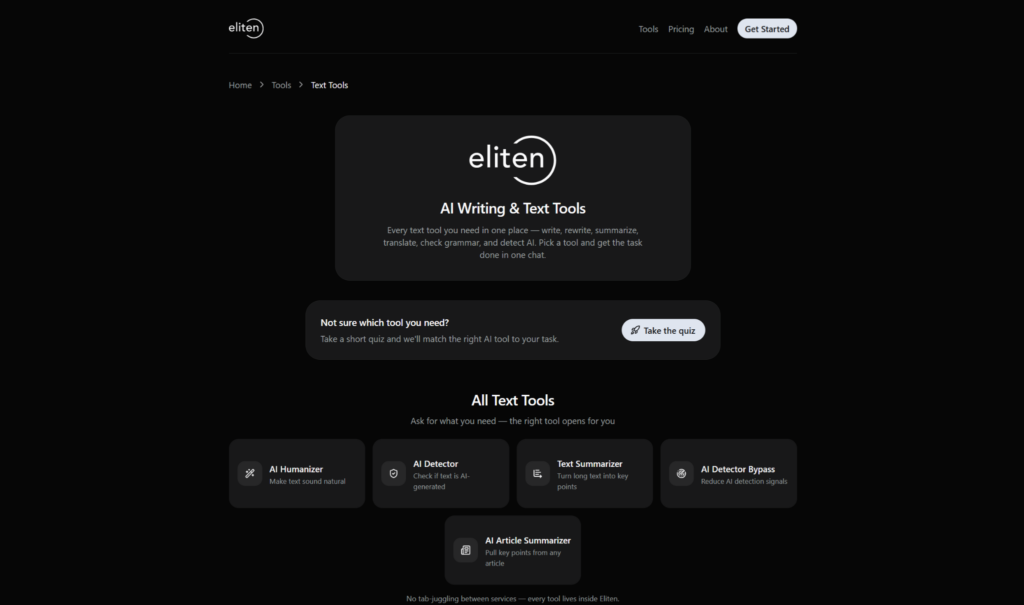
Most AI writing tools make you pick a tool first and figure out your task second. Eliten inverts that. You describe what you need in one chat, and the right tool opens for you — write, rewrite, summarize, translate, check grammar, or detect AI-generated text.
That “one workspace, many tools” model is the reason it opens this list. Instead of juggling separate tabs for an AI writer, humanizer, detector, summarizer, paraphraser, and grammar checker, every text tool lives inside a single Eliten workspace, so your work does not scatter across five different services and subscriptions.
The toolkit is broad. It covers an ai writer for drafting from a blank page, an AI Humanizer to make machine text read naturally, an AI Detector and detector-bypass pair, text and article summarizers, a paraphraser and rewriter, and a grammar checker — the everyday jobs that usually eat a stack of separate tools. For a data or research team that produces documentation, summaries, and explainer content, having those in one place is a genuine time saver.
A personal AI coach sits alongside the tools, which is the part newcomers appreciate most. If you are not sure which tool fits your task, a short quiz or the coach points you to the right one, so you spend less time learning software and more time writing.
Best for: students, writers, marketers, researchers, and non-native English speakers who want a range of specialized text tools in one place rather than a single generic chatbot.
Pricing: Eliten runs on a freemium model — you can start without a paid plan, and the coach helps you get moving quickly. Check eliten.ai/pricing for current paid tiers.
Watch for: as a newer platform, Eliten does not have the brand recognition of ChatGPT or Grammarly yet, so weigh the breadth of its toolkit against tools you may already know.
2. Claude — best for natural, instruction-faithful long-form
Claude, built by Anthropic, has earned a reputation as the AI writing assistant to reach for when the quality of the actual writing matters most. In our tests it produced the most natural long form content of the general chatbots — varied sentence length, real rhythm, and fewer of the tell-tale phrases that give AI away.
For a technical audience, its more valuable trait is instruction-following. Claude holds a specified writing style across a long document and sticks closely to detailed constraints, which makes it strong for research write-ups, documentation, and reports where the voice and the facts both have to stay consistent. Its large context window lets it work with an entire draft or source file in one pass, so edits are grounded in the whole thing rather than a fragment.
It is a writing tool first: less of an all-purpose assistant than ChatGPT, with no native image generation, so you choose it for prose, not for a Swiss-army-knife feature list.
Best for: long-form articles, careful editing, documentation, and any writing where a consistent, human-sounding voice is the priority.
Pricing: a capable free tier covers casual use, and Claude Pro is roughly $20/month — the same ballpark as ChatGPT, so the choice comes down to the work you do rather than the cost.
Watch for: like every tool built on large language models, it can state wrong facts with complete confidence, so treat its output as a draft to verify, not a source.
3. ChatGPT — best versatile all-round AI writer
ChatGPT, from OpenAI, is the default AI writing assistant for millions of people, and for good reason. It handles almost any writing task competently — emails, outlines, blog posts, social media posts, code comments, and quick rewrites — inside a familiar chat interface.
Its real strength is range. Few AI writing tools match its versatility, and the surrounding ecosystem (voice mode, image generation, data analysis, custom GPTs, and a huge library of integrations) means writing is only one of many things it does well. For a data scientist who already uses it to explain code or sketch an analysis, using it to draft the write-up is a small step.
For pure prose it is fast and flexible, though it can slip into a recognizable “AI voice” — heavy on bullet points and filler phrases — unless you prompt it carefully and edit the result.
Best for: people who want one flexible tool for a bit of everything, plus fast brainstorming and drafting.
Pricing: a genuinely useful free tier covers casual use; ChatGPT Plus is around $20/month and unlocks the latest models and higher limits.
Watch for: on nuanced pieces it needs a firm editorial hand, and its default output often reads as generic until you push it with specifics.
4. HaloMate — best multi-model AI workspace
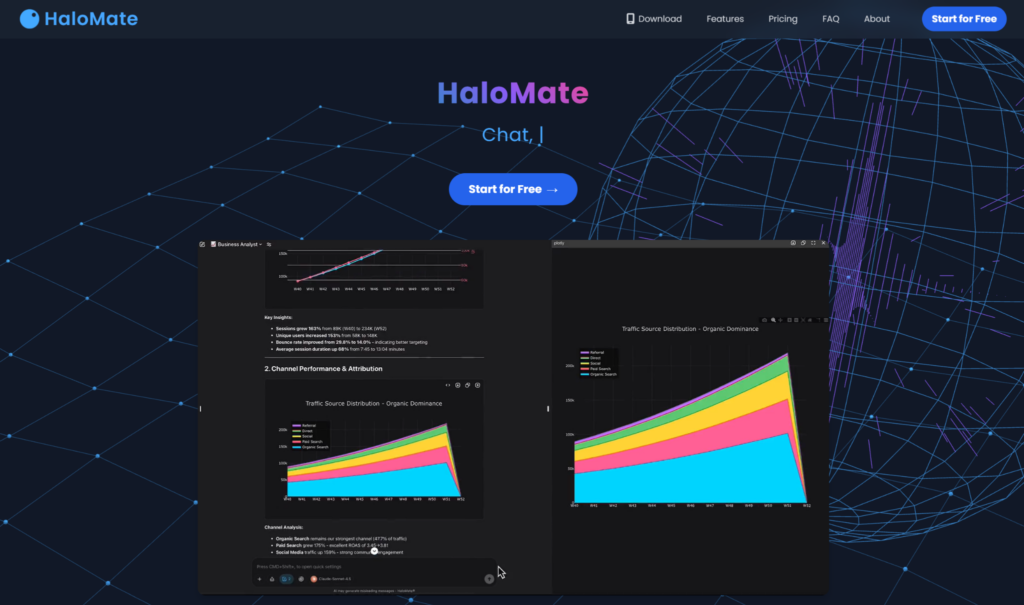
HaloMate takes an angle a data-literate reader will immediately appreciate: instead of betting on one model, it puts several leading large language models — GPT, Claude, Gemini, Grok, DeepSeek — in one workspace, so you can run and compare outputs across models without switching tabs or rebuilding context. Built by Blue Tensor out of Melbourne, it is designed around the idea that relying on a single model is a risk, because different models have different blind spots and one confident answer is not verification.
Its “Mates” are reusable AI assistants with their own persona and long-term memory — a Writer Mate that remembers your style, an Editor Mate that holds your quality standards — that carry context across projects. Work lives in Projects: shared workspaces where files, references, and instructions persist, and where a Mate can read and write back into your documents rather than treating each chat as disposable. For anyone running long, ongoing projects, that persistent memory and the ability to cross-check one model’s draft against another are the selling points.
Best for: professionals who want multiple AI models, model-to-model comparison, and a persistent, memory-driven workspace in one place.
Pricing: HaloMate has a free tier, with paid plans starting around $10/month by third-party listings; because it runs on a credit/points system that varies by platform, check halomate.ai for current tiers before subscribing.
Watch for: it is a workspace layer over existing models, so the writing quality still depends on the underlying model you choose — and the learning curve is steeper than a single-purpose drafting tool.
5. Grammarly — best grammar checker and editing tool
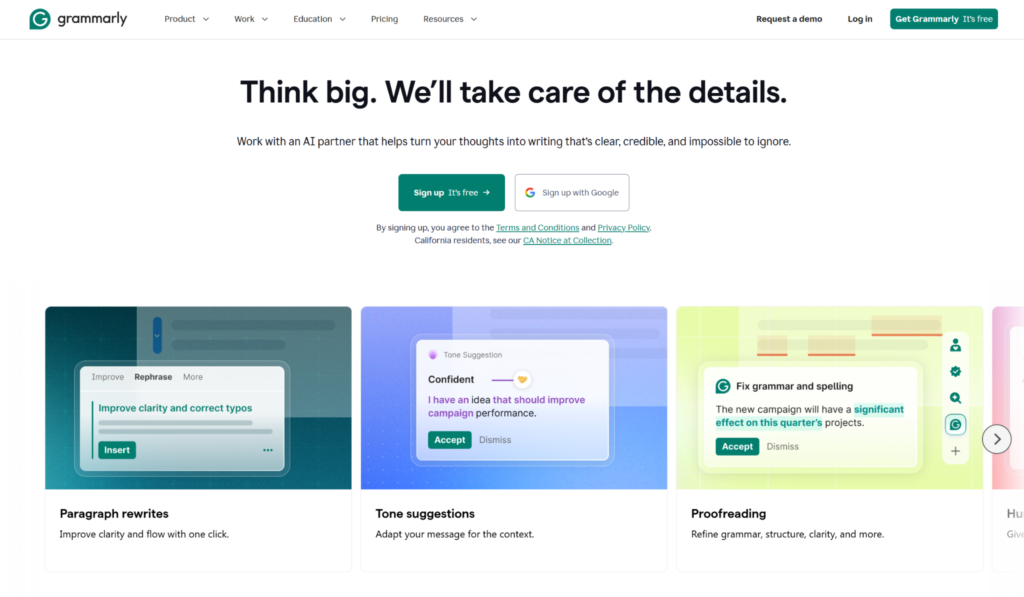
Grammarly is the best-known name in editing tools, and it remains the default grammar checker with AI features layered on top. It works everywhere you write — browser, desktop, and inside other apps, including Google Docs and Microsoft Word — catching grammar, spelling, punctuation, and tone issues in real time.
Beyond correction, its AI features now handle full-sentence rewrites, tone adjustment, clarity suggestions, and both plagiarism and AI-text detection on paid plans. It is less about generating content from scratch and more about polishing your own writing, which makes it a complement to a drafting tool rather than a replacement — you write or generate elsewhere, then run the result through Grammarly to tighten it.
Best for: anyone who wants their own writing checked, corrected, and refined as they type.
Pricing: the free plan genuinely covers grammar, spelling, tone, and a monthly allowance of AI prompts. Grammarly Pro is $12/month billed annually (about $30/month month-to-month) and adds rewrites, a much larger AI prompt allowance, plagiarism detection, and light team features; Enterprise is custom-quoted.
Watch for: it is an assistant, not a generator — it will not write a first draft for you the way a dedicated ai writer will.
6. Jasper — best for marketing teams and brand voice at scale

Jasper is built for business content creation at scale, and marketing teams are its core audience. Where general AI writing tools hand you a blank chat, Jasper gives you a content workflow — templates, campaigns, and a Canvas editor designed to produce on-brand marketing copy quickly.
Its standout is the brand voice feature. You train Jasper on your existing content, and it applies that unique brand voice across everything it writes, which keeps a team’s blog posts, ad copy, and social media posts consistent even when several people are drafting. The brand voice settings and collaboration tools are the whole point for a marketing team; for a solo writer they can feel like more machine than the job needs.
Best for: marketing teams and agencies producing large volumes of on-brand marketing copy and long form content.
Pricing: there is no permanent free plan, only a 7-day trial. Jasper simplified its tiers in 2026 to Pro at roughly $59/month billed annually (around $69 month-to-month) and a custom-priced Business plan. Some SEO and plagiarism features rely on separate paid integrations, so budget for those.
Watch for: it is pricier than most other tools here, and the real cost climbs once you add seats or need more than the included brand voices.
7. Rytr — best budget short-form and template tool
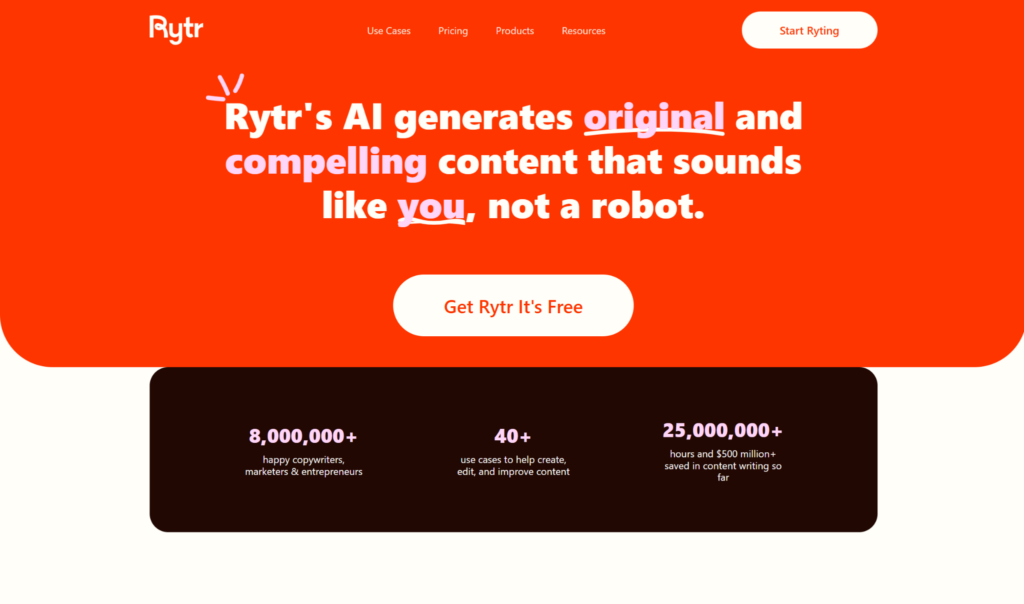
Rytr is the value pick. It is one of the cheapest credible AI writing tools on the market and has built up millions of users on the strength of being fast, simple, and affordable for short form content.
Its library of 40+ templates covers the everyday jobs — blog ideas, emails, ad copy, product descriptions, and social media posts — so you pick a format, add a line of context, and get a draft in seconds. A “My Voice” feature trains it on samples of your writing style, and it supports 30+ languages. Where Rytr shows its price is on long form content and factual accuracy: outputs are quick starting points rather than finished pieces, and they need editing.
Best for: freelancers, marketers, and small business owners producing short-form content on a tight budget.
Pricing: a genuine free plan gives you 10,000 characters a month. The Unlimited plan is $9/month ($7.50/month billed annually), and Premium is $29/month with 30+ languages and a built-in plagiarism checker.
Watch for: it is built for speed over depth — the wrong choice if you need polished, long-form, or highly factual writing.
8. QuillBot — best for paraphrasing, summarizing, and citations
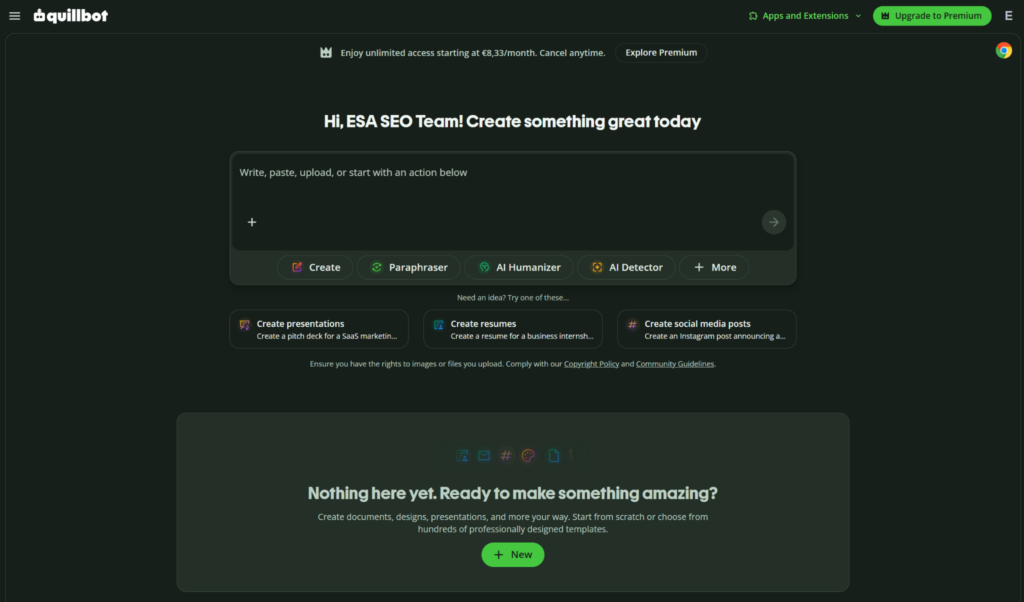
QuillBot made its name as a paraphraser, and it is still the tool most people reach for when the job is to reword and refine existing text rather than generate it from scratch. Its paraphrasing modes rewrite sentences in different tones while keeping the meaning intact.
Around that core it has grown into a small suite of editing tools — a grammar checker, summarizer, plagiarism checker, citation generator, translator, and AI detector — which makes it a handy companion for students and researchers polishing their own writing and managing references. The free tier is genuinely usable for light rewriting, which is why it is such a common starting point.
Best for: students, academics, and writers who mainly need to paraphrase, rewrite, summarize, and tidy existing text.
Pricing: the free plan covers basic paraphrasing (with a per-request word cap) and grammar checks. Premium is $19.95/month, dropping to $8.33/month billed annually, and unlocks unlimited paraphrasing, more modes, and the plagiarism checker.
Watch for: free paraphrasing is capped at short chunks, and it is a refining tool rather than a full drafting AI writer.
9. Sudowrite — best for fiction and creative writing
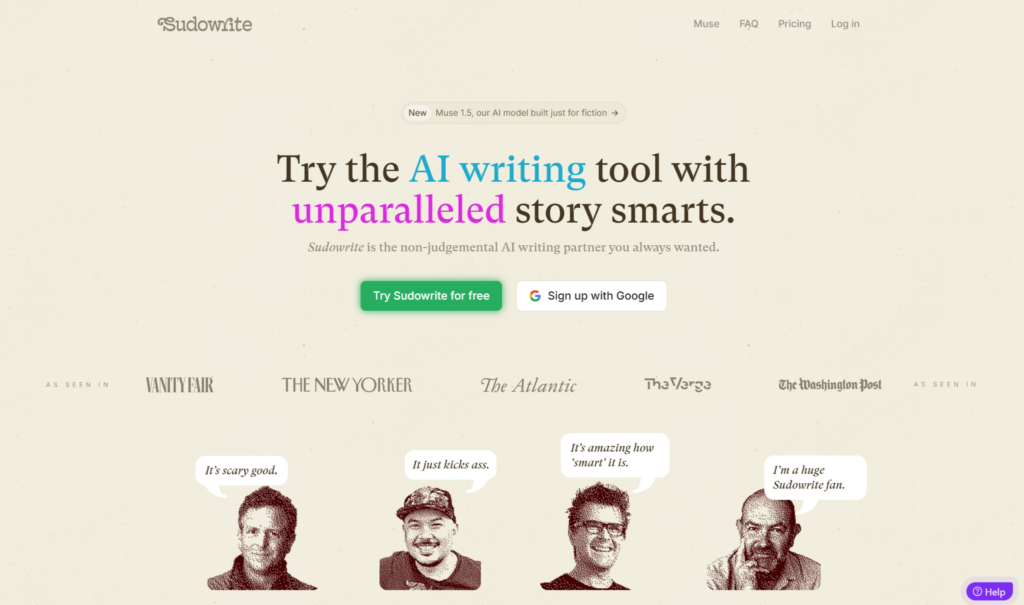
Sudowrite is one of the few AI writing tools designed specifically for creative writing and fiction, and it shows. Instead of marketing templates, it gives novelists and screenwriters tools built for storytelling — Story Engine, Brainstorm, Describe, and Expand — that help with plot, character, and prose.
For fiction writers, that specialization matters. General AI writing tools can write a scene, but Sudowrite is built around the way authors actually work, so it fits into drafting, revising, and pushing through writer’s block on a manuscript rather than a blog post. It prices on a credit system tied to how much you generate.
Best for: authors and screenwriters writing fiction who want ai writing assistance tuned for creative work.
Pricing: there is no ongoing free plan, but a free trial of roughly 10,000 credits lets you test it. Paid tiers (annual billing) are Hobby & Student at $10/month, Professional at $22/month, and Max at $44/month, with monthly billing running higher.
Watch for: the credit model means heavy generation can burn through an allowance fast, and it is focused on fiction rather than business, technical, or research content.
Other AI writing tools worth knowing
The nine above are our picks, but a few other tools come up often enough to mention. We are not quoting prices for these, since their plans move around — check each vendor’s site.
Gemini — Google’s AI assistant, strongest if you live inside Google Docs and Workspace, where it drafts and edits in context.
Copy.ai and Writesonic — marketing-focused AI writing tools built around ad copy, landing pages, and social media posts at speed.
ProWritingAid and Wordtune — editing tools in Grammarly’s neighborhood, with ProWritingAid leaning deeper on style analysis and Wordtune on quick rephrasing.
Research-focused tools — a growing set of academic writing tools focus on evidence-backed text generation, citation management, and deep research capabilities that can cross-reference multiple scholarly sources. They matter most if your writing has to stand up to a literature review.
Most of these AI writing software options run on the same underlying technology as the tools above, and most tools in the category share that engine — which is the single most useful thing to understand before you spend money. Like the other tools on our main list, they differ in workflow, not intelligence, so let’s cover how AI writing tools actually work.
How AI writing tools work
Understanding what is under the hood makes it far easier to choose between AI writing tools, because it explains why so many of them feel similar.
What large language models are
Almost every modern ai writing tool is built on large language models (LLMs). These models are trained on billions of words from books, articles, and websites, and they learn the statistical patterns of language well enough to produce fluent, human-like text. That shared foundation is exactly why most AI writing tools use the same core technology — much of the AI writing software you can buy is a wrapper around the same handful of models, with a different interface and workflow on top. Two pieces of AI writing software can call an identical model and still feel nothing alike.
How AI writing tools generate content
When you type a prompt, the model predicts the most likely next tokens based on your input and everything it learned in training. That is how an AI writer turns “write a product description for a running shoe” into a full paragraph in seconds. Because it works from patterns and natural language processing rather than understanding, the same prompt can produce different results each time, and the output reflects how the model was trained and tuned. This is also the mechanism behind the phrase you will hear a lot: these systems predict plausible text, they do not check it.
Why outputs vary between tools
If most AI writing tools share an engine, why do results differ? Partly the specific model each tool uses, and partly the prompting, fine-tuning, and workflow wrapped around it. A tool like Sudowrite is tuned for fiction; a tool like Jasper is tuned for brand-consistent marketing; a general chatbot is tuned to be flexible. Same broad ai technology, different specialization — which is why matching the tool to your task beats chasing a single “best” ai writer. It also explains a shared weakness: ai content can sound authoritative while containing subtle factual errors, so human review is never optional.
How to choose the right AI writing tool for you
The best ai writing tool is the one that solves your specific writing tasks, not the one with the flashiest homepage. Start with free AI tools before buying anything — nearly every tool here offers a free plan or trial, and testing on your own writing tells you more than any review, including this one. Then pick based on the problem you are trying to solve.
For technical documentation and research writing
If you write documentation, technical explainers, or research summaries, prioritize accuracy, instruction-following, and long-context handling over raw creativity. A general ai writer like Claude or ChatGPT handles this well, and a multi-model workspace like HaloMate lets you cross-check one model’s draft against another — useful when a confident-sounding paragraph needs a second opinion before it ships.
For marketing and content teams
If you produce marketing copy, blog posts, and social media posts at volume and need a consistent brand voice, a workflow tool like Jasper earns its price. For lighter, cheaper short form content, Rytr covers the basics. Marketing teams should weigh the brand voice feature heavily, because keeping a unique brand voice consistent across many writers is where dedicated content marketing tools beat a general chatbot — it is the part of the content creation process a versatile tool alone will not solve.
For creative writing and fiction
Fiction writers are better served by a specialized tool than a marketing platform. Sudowrite is designed for writing fiction, with features that support plot, character, and long-form drafting. A general ai writing tool like Claude is a strong second option for creative writing, especially for prose quality, if you would rather not learn a dedicated fiction tool. Even outside fiction, the same brainstorming ideas and drafting help carries over to any creative writing project, which is why writers keep this kind of AI writing software close through the whole writing process.
For academic writing and citations
Research and academic writing tools focus on evidence-backed text and careful referencing. QuillBot’s paraphrasing, summarizing, and citation tools suit students, while general chatbots with strong reasoning help synthesize and cross-reference sources. Whatever you use, the editorial judgment stays with you — AI can accelerate research, but it cannot be trusted to get every fact or source right, and it will happily invent a citation that looks real.
For grammar, editing, and polish
If you already write and just need your own writing tightened, editing tools beat generators. Grammarly is the go-to grammar checker; QuillBot handles rewriting and paraphrasing; Eliten bundles humanizing, detecting, and grammar checking in one place. The through-line across all of these: evaluate AI tools by how well they solve your workflow problems, not by feature lists.
How AI writing tools improve your writing process
Used well, AI writing tools do not replace writers — they change the shape of the writing process. The best results come from a cycle of AI generation, human editing, and a final human polish, and understanding that cycle is what separates people who get value from AI from people who publish obvious slop.
Ideation and beating the blank page
The clearest win is at the start. AI writing tools are excellent at brainstorming ideas, outlines, and angles, which is often enough to overcome writer’s block and get past the blank page. For content marketing teams especially, that early ai writing assistance turns a slow, staring-at-the-cursor start into momentum. Treat the first output as raw material, not a finished draft — the point is momentum, not final copy. You are generating options to react to.
Drafting faster
Once you have a direction, an ai writer can produce a first draft far faster than typing from scratch, and reliable ai writing assistance narrows the gap between a rough idea and usable text. Many teams report roughly halving their content creation time by letting AI handle the initial draft. Using one tool to manage the entire writing workflow — ideation, drafting, and research in one place — is a big part of where those content creation savings come from, because you are not rebuilding context across apps every time you switch. This is the kind of AI writing assistance that changes a workflow rather than just adding another chat window.
Editing and verification
This is where human judgment earns its keep. Editing AI-generated content typically takes a meaningful share of total writing time — often a third to half — because you are fixing tone, checking facts, and cutting the generic phrasing that gives AI away. For anyone who works with data, the fact-checking step is non-negotiable: a model will state a wrong number as confidently as a right one. That editing step is not a flaw in the process; it is the process. AI can accelerate the writing, but the editorial judgment about what is true, on-brand, and worth saying stays firmly human — and that judgment is what keeps AI-assisted work genuinely high quality content.
AI writing tools for teams vs. solo writers
The best ai writing tool for one person is rarely the best one for a team, so it helps to be honest about which you are before you choose.
Solo writers — freelancers, bloggers, students, indie authors, individual analysts — usually want speed, low cost, and a short learning curve. A flexible tool that handles most writing tasks, plus one editing tool, covers almost everything, and a free plan often carries you a long way. Tools like Claude, ChatGPT, Rytr, or an all-in-one workspace like Eliten fit that rhythm without the overhead of team features you will never touch.
Teams have a different problem. When several people produce content, the challenge is not drafting speed but consistency: everyone’s writing style differs, and without guardrails your blog posts, marketing copy, and social media posts start to sound like they came from five different companies. That is why marketing teams gravitate to platforms with a brand voice feature and shared templates, and why the cost math flips — a solo writer counts every dollar, while a team measures a pricier platform against the hours it saves across the whole content creation process.
Decide which side you are on first, and the shortlist of AI writing tools gets a lot shorter.
Common mistakes to avoid with AI writing tools
Even the best AI writing tools produce poor results in the wrong hands. These are the mistakes we see most often — and how to avoid them.
Publishing without editing. The biggest one. AI content can read well and still contain subtle errors, so treat every draft as a starting point and keep the actual writing and fact-checking human.
Trusting the facts. AI writing tools sound authoritative even when they are wrong. Verify names, numbers, and claims before you create content anyone will rely on — the model does not know what is true, only what is likely.
Ignoring your own voice. Lean too hard on defaults and everything you publish starts to sound like every other ai writer. Feed the tool your writing style, use brand voice settings where they exist, and edit until the writing sounds like you.
Using the wrong tool for the job. A marketing platform will not write great fiction, and a fiction tool will not structure a technical doc. Pick the tool built for the writing you are doing rather than forcing one tool to write content of every kind.
Over-relying on a single tool. Many strong writers use two or three tools — one to draft, one to edit, one to check — because no single tool is best at everything. A small stack usually produces higher quality content than betting on one, and it follows the same logic as cross-validating a model: one opinion is not verification.
Skipping the free trial. Buying before testing is how people end up paying for a tool that does not fit. Almost every option here lets you write content on a free version first, so use it.
What to look for in AI writing software
If you strip away the branding, the AI writing software worth paying for shares a short list of key features. Knowing them makes it easier to tell a genuinely useful AI writing assistant from a repackaged chatbot, and it is how experienced users cut through a crowded field of AI tools.
A model that fits your work. Under the hood these are all built on natural language processing, but the tuning differs. A versatile tool suits people who write a bit of everything; a specialized tool wins when your work is narrow — writing fiction, generating long form content, or producing high quality content for one channel. Picking the right AI writing software for your job matters more than picking the “smartest” one.
Workflow, not just output. The best AI writing tools do more than answer a prompt. They help with brainstorming ideas, hold context across a document, and manage the content creation process in one place instead of scattering it across other tools. A single tool that runs your entire writing process usually beats three tools stitched together — and it is why most other AI tools that only generate text feel thin next to a real workspace.
Style and brand control. For teams, a brand voice feature that learns your unique brand voice is often the deciding factor. A tool with strong brand voice settings is the difference between consistent output and five writers sounding like five companies.
Honest limits. Check the word count caps, the paid plans, and what the free version actually includes before you commit. Many products advertise an unlimited plan on drafting while metering the more advanced features separately.
No single software tool nails all of these, which is why most tools get combined — most AI writers end up using two or three rather than betting everything on the only tool that claimed to do it all.
Do you need to pay for AI writing tools?
Not necessarily. One of the best things about the current market is how much you can do before paying, and the smart move is to start with free AI tools before committing to any AI writing software.
Several genuinely useful free AI writing tools exist. Claude and ChatGPT both have capable free tiers, Rytr’s free plan covers real short-form work, and Grammarly, QuillBot, and Eliten all let you start on a free version before upgrading. A free tool is usually enough to answer the only question that matters: does this fit how you write? Test it on your real writing tasks, and if it removes friction, a paid plan starts to make sense.
The moment to upgrade is when you hit a real limit — a character or word count cap, a missing feature, or the sheer volume of content you create. That is when paid plans and their advanced features earn their cost. Across these AI writing tools, paid plans mostly run between roughly $9 and $89 per month; budget options sit at the low end, and workflow platforms for marketing teams sit higher.
Watch what “unlimited” means, though. Some AI tools advertise an unlimited plan on drafting but meter the more advanced features — images, plagiarism checks, premium models — separately, so the free tool you started with can quietly cost more at scale. Let a free version prove the value, then pay only for what your writing process actually needs.
A note on AI content, quality, and search
Many people reach for AI writing tools to create content at scale for blog posts and content marketing, so it is worth being clear-eyed about how that content performs. Search engines do not penalize text simply for being AI-assisted; they reward high quality content that helps a reader. What sinks weak ai content is not the tool but the missing editor — thin, generic pages no one checked, the kind of low-effort ai content that gives the whole category a bad name.
If your goal is content that ranks, the process matters more than the tool. A little keyword research to understand what readers actually want, a clean structure, and a human doing real seo research and fact-checking will beat any “seo ready articles” button. Solid seo research — the kind that looks at what already ranks in search engines and why — tells you what to create content about; the AI just helps you create content faster once you know. Some other tools help here — search-focused platforms turn seo research into ranking guidance, and general assistants like Gemini let you generate writing and edit directly inside Google Docs — but they structure content better than they judge whether it is worth reading. None of them replaces the human judgment at the centre of the content creation process.
The rule of thumb for anyone using AI to write content faster: let the tool get you past the blank page and start writing, then spend the time you saved making the piece genuinely useful. That discipline is what separates AI content that helps from AI content that clutters, and it is the same standard whether you are writing fiction, a research note, or a landing page. Search engines and readers are asking the same question — is this high quality content? — and only a human editor can really answer it.
Frequently asked questions
Is ChatGPT the best AI for writing?
ChatGPT is one of the best AI writing tools for versatility, but “best for writing” depends on the task. For pure prose quality and instruction-faithful long-form, many writers rate Claude higher; for marketing content at scale, Jasper fits better; for editing, Grammarly wins. ChatGPT is the strongest all-rounder rather than the best at any single writing job.
Is ChatGPT still the best AI?
ChatGPT remains one of the most capable and popular general AI tools in 2026, thanks to its ecosystem, image generation, and voice mode. Whether it is “the best” is now genuinely contested — rivals like Claude and Gemini match or beat it in specific areas. The practical answer for most professionals is to use more than one tool and pick per task, which is exactly why multi-model workspaces have caught on.
What are the top 5 AI tools right now?
The top AI writing tools right now, by the job they do best, are Claude for natural long-form prose, ChatGPT for versatile all-round writing, Jasper for marketing teams, Grammarly for editing, and QuillBot for paraphrasing. All-in-one workspaces like Eliten and multi-model workspaces like HaloMate round out the field depending on whether you want breadth of tools or breadth of models.
Is it illegal to publish a book written by AI?
Publishing a book written with AI is legal in most countries — plenty of AI-assisted books are already on sale. The nuance is copyright: in the US, purely machine-generated text generally cannot be copyrighted, though works with meaningful human authorship can be, and some platforms ask you to disclose AI use when you publish. Rules vary by country and change often, so this is general information rather than legal advice — check the current requirements where you publish.
How much do AI writing tools cost?
Most AI writing tools cost between roughly $9 and $89 per month, with budget options like Rytr from $9/month and editing tools like Grammarly from $12/month. Several — including Claude, ChatGPT, Rytr, Grammarly, QuillBot, HaloMate, and Eliten — offer a free plan or trial, so you can test them before paying.
Can AI-written content rank on Google?
AI-assisted content can rank well as long as it is genuinely helpful, accurate, and written for people rather than search engines. Google’s guidance focuses on content quality and helpfulness, not on how text was produced — so the deciding factor is human editing and real value, not whether an ai writer helped draft it. That is also why a little keyword research and clean structure still matter more than the tool you used.
The verdict: which AI writing tool should you choose?
There is no single best AI writing tool, and any list of the best AI writing tools that claims otherwise is selling something. The right choice comes down to the writing tasks in front of you, and to whether you value breadth of tools, prose quality, or a workflow that fits how you write.
For a single place to handle most everyday text work — writing, humanizing, detecting, summarizing, and checking grammar — Eliten’s all-in-one workspace is the easiest starting point, especially if you would rather describe your task than shop for tools. For long-form and instruction-faithful writing, Claude leads, with ChatGPT the more versatile generalist. For cross-checking work across models, HaloMate; for marketing at scale, Jasper; for editing, Grammarly; for budget short-form, Rytr; for paraphrasing, QuillBot; and for fiction, Sudowrite.
Our honest advice: start with the free plans, test two or three of these AI writing tools on your own writing this week, and keep the one that removes the most friction from how you already work. The market will keep moving fast, with new models and features arriving all year — but the way to choose will not change. Match the tool to the writing you do, let a free version prove its worth, and never hand over the editorial judgment that makes your content worth reading.